Premium Stats Pro update: College scatter plots, a glossary on every report and a sharper Guru
By
PFF.com
We're continuing to add features to Premium Stats Pro. The latest update, released Oct. 9, brings college players to the Scatter Builder, adds a glossary to every report, rebuilds the stat tiles on player profiles by position and makes PFF Guru faster and more direct.
Here's what's new, in plain terms, and what each change gets you.
College players join the Scatter Builder
What's new: Player mode in the Scatter Builder now covers college football. Flip the NFL/NCAA toggle, and the same position pickers, axes and playing-time minimum work for FBS and FCS players. It opens on the Power Four, and you can narrow it by division, conference or team.
What you get: You can plot a conference's offenses, then jump straight to its quarterbacks without picking the filter again. It's the quickest way to see how a college player compares with his peers on any two stats. The Display setting has also moved into a settings cog, and on phones the builder now sits in the navigation as its own icon.
The same players and metrics are available as a sortable table on each team's Leaders tab.
What's new: A glossary button now appears on every report. Every definition from legacy Premium Stats carried over word for word, and new entries explain the opponent record, strength of schedule and score columns.
What you get: No more guessing what APDB or Y/CS means. On a phone, where you can't hover over a column header, one tap explains it. The Rushing Direction tables also picked up CSV export and Table Settings, so you can hide columns and download only what you need.
Player profiles show the stats that matter for each position
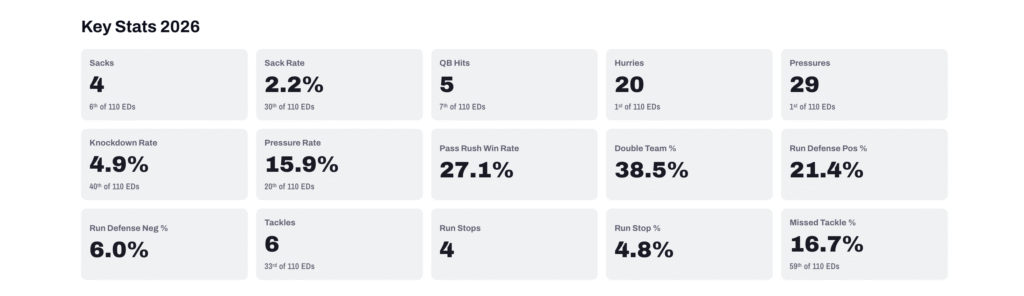
What's new: PFF analysts picked the key stats tiles for every position. Quarterbacks now show adjusted completion rate, big-time throw and turnover-worthy play rates and completion percentage over expectation. Receivers and running backs show yards per route run and drop rate. Offensive linemen show pressure rate allowed, pass-block win rate and island rate. Pass-rushers show pass-rush win rate, double-team rate and run stops. Linebackers and defensive backs show forced incompletion rate and coverage snaps per target, and kickers show 50-plus-yard and extra-point percentages.
What you get: The numbers that define a player's position, at the top of his page. Ranks now compare a player only with his own group, so a running back's receiving tiles read “12th of 48 RBs” rather than ranking him against every ball carrier. Each tile uses the same formula as the matching report column, so the two always agree.
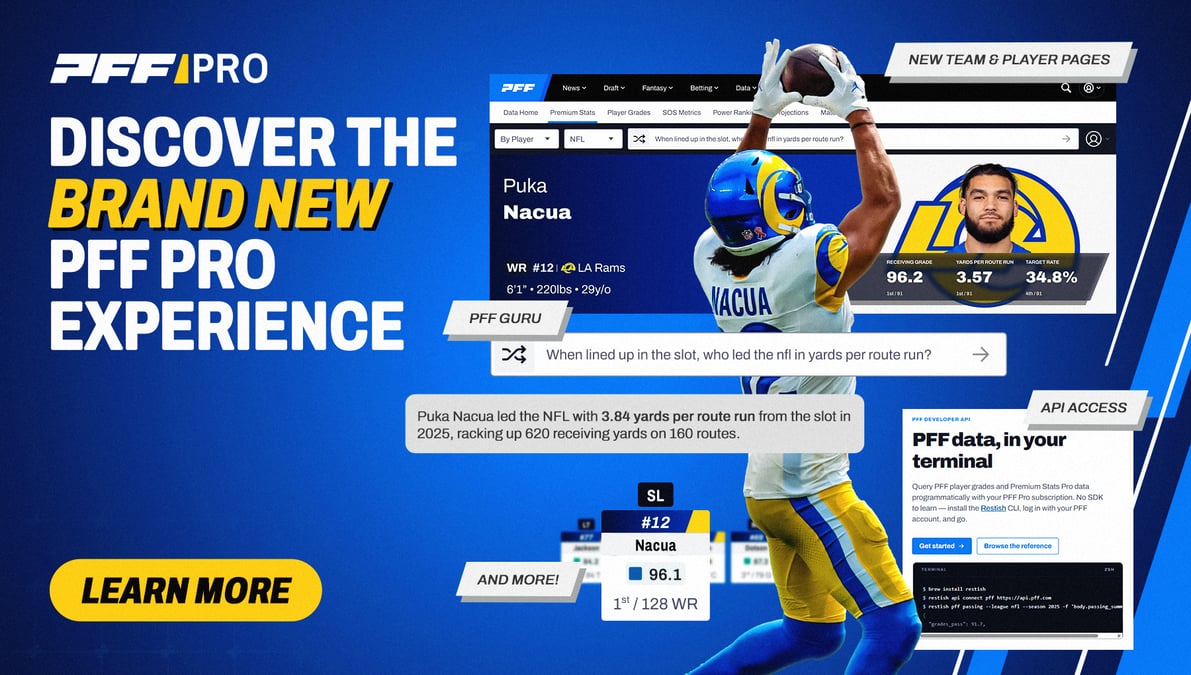
What's new: Ask Guru to compare two players, and you now get a single matchup card, the same one used on game pages, instead of a card plus a table repeating the same numbers. Answers keep running if you leave a chat, and the sidebar shows which chats are still working. Replies type out at a steady pace, with a status line such as “Checking players…” while Guru works.
What you get: Cleaner answers and less back-and-forth. When several players share a last name, Guru asks which one you mean and remembers your pick for follow-ups. When it doesn't track something, it says so and offers what it does have.
If you missed the previous update, it was a big one for college football.
Advanced stats for FBS: Completion percentage over expectation and target share (back to 2019), pass and run rate over expectation and pressure rate over expectation (back to 2021), field goal rate over expected and trench stats such as island rate and double-team rate. College also gets two stats first: a pass-rusher's win rate when double-teamed and when single-teamed.
Blitz rate: How often a defense blitzes on dropbacks, and how often an offense faces a blitz, now on Team Stats for the NFL and college.
Pick any weeks: Choose weeks 3, 5 and 9 instead of only a continuous range. Your pick carries into CSV exports and shared links.
Totals row on game reports: A team's totals for the day, pinned to the bottom of every game report.
For API users
The college advanced metrics from the Oct. 1 release reached the website but not the Premium Stats Pro API. As of Oct. 9, every NCAA response includes them, from completion and pass rate over expectation to target share, island rate and the double-team splits. NFL responses are unchanged. Column details are in the API documentation.
Since launch
These updates build on a busy September. Premium Stats Pro added positively and negatively graded play rates at nearly every position, pass-block win rate, adjusted pass-rush and pass-block grades, weighted EPA and island rate.
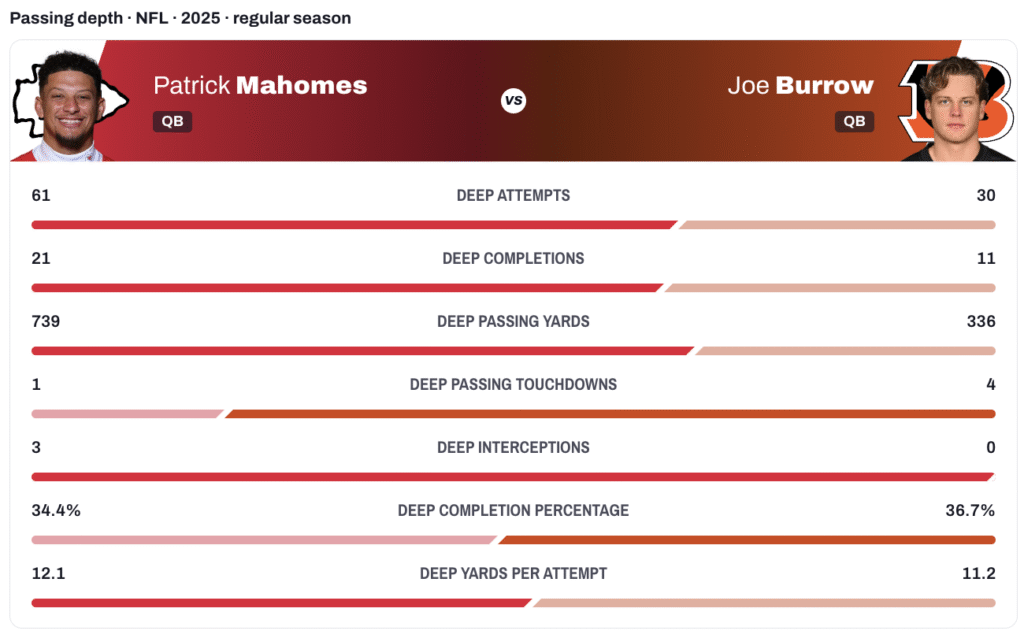
It also added five new game reports, including pressure and depth and coverage matchups, plus offenses faced. Guru learned the NFL back to 2006 and college football back to 2008, and the Pro API gained keys and a developer portal. The full log is on the release notes page.
Premium Stats Pro and API access come with PFF Pro. Get PFF Pro »












 © 2026 PFF - all rights reserved.